Silence and filler words, gone
Remove pauses from video
on iPhone.
One tap cuts silences and filler words. One tap brings them back. Free, on device, no upload.
Free download. No account, and your video never uploads.
1
Tap to tighten
Remove pauses, in Trim.
1
Tap to undo
Restore pauses.
0
Uploads
Edits run on the phone.
How it works
Dead air out. Pace up.
01
Open a clip
Load a video from Photos or Files (MP4 or MOV, up to 2 hours). Clipped finds clips, or cut your own with New clip.
02
Tap Remove pauses
It sits in the Trim tool. One tap cuts the silences and filler words.
03
Check, then export
The live player shows exactly what will export. Too tight? Tap Restore pauses.
Why it's different
No timeline scrubbing.
One tap
Silences and filler words go in a single tap. No hunting for gaps by hand.
Fully undoable
Restore pauses puts everything back. Try it freely.
What you see exports
The live player shows the exact clip that will export, so you check the pace before you post.
On device
Edits and export run on your iPhone. Nothing uploads.
The Trim tool
Everything Trim does.
Made for talking videos
Where dead air hurts most.
Podcasts
Long thinking pauses between answers. Cut them and the clip moves.
Interviews
The gap before the guest answers goes. The answer stays.
Sermons and talks
Pauses that work in the room drag on a phone screen.
Talking to camera
Every um and long breath out, without reshooting.
After the cut
Finish the clip in the same screen.
Clipped vs cloud editors
Your phone does the editing.
Feature
clipped
Free, iPhone and iPad, offline
Cloud tools
WEB · UPLOAD
FAQ
Removing pauses on iPhone, answered.
How do I remove pauses from a video on iPhone?
Open the video in Clipped, open a clip, go to the Trim tool and tap Remove pauses. Clipped cuts the silences and filler words in one tap.
Does it remove filler words too?
Yes. Remove pauses cuts silences and filler words in the same tap.
Can I undo it?
Yes. Tap Restore pauses and the clip goes back to how it was.
Where is Remove pauses in the app?
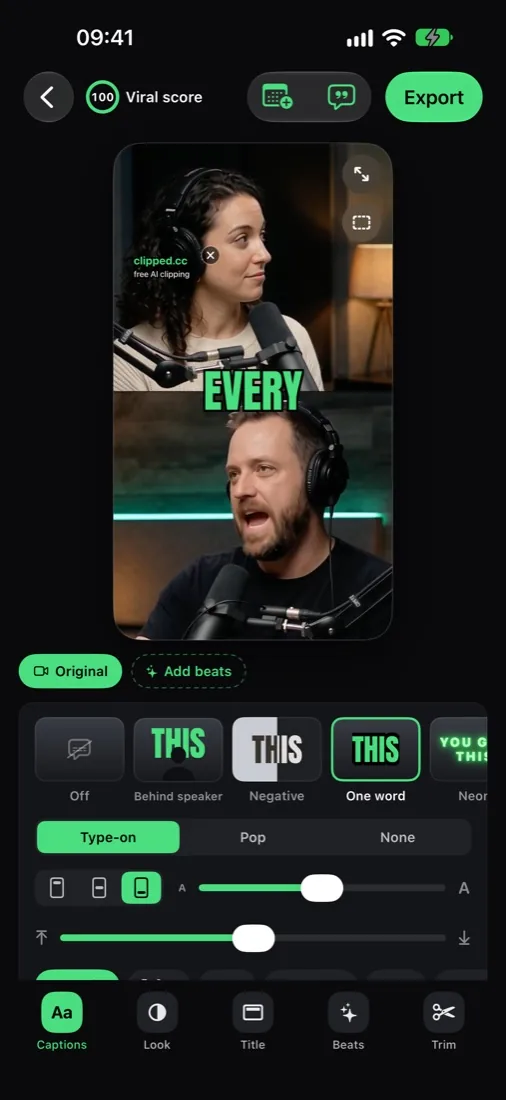
In the clip studio, inside the Trim tool. The studio has six tools: Captions, Look, Text, Beats, Trim and Post.
Does my video upload anywhere?
No. Transcription, edits and export all run on the iPhone, and there is no account to make.
Is it free?
Yes. Every feature is free. Exports carry a small clipped.cc watermark; one optional one-time purchase removes it. No subscription, no credits.
What else can Trim do?
Trim a clip, extend it past its original edges (while the source video is kept, 30 days), or cut a New clip from any part of the original video.
Is this a jump cut app?
In effect, yes. Cutting the gaps leaves tight jump cuts, the pace short video viewers expect. Want the cuts to feel deliberate? Beats adds zoom cuts and punch-ins.
Can I clean up just one part of a long video?
Yes. Use New clip in the Trim tool to cut the part you want from the original video (up to 2 hours long), then tap Remove pauses on that clip.
Does it work offline?
Yes. Remove pauses runs on the iPhone with no internet. Internet is only used for optional one-time downloads, such as an AI model for clip finding.
What should I do after removing pauses?
Pick one of 11 caption styles, try Hook: best moment first in Beats, check the clip under the TikTok, Reels or Shorts buttons with App buttons preview, then export at up to 1080p and 60 fps.
Which iPhones does it run on?
Clipped needs iOS 26 and runs on iPhone and iPad.
Related
Free, one tap
Cut the pauses on iPhone, free.
Silences and filler words out in one tap. Free on the App Store.
Download on the App Store