Quick answer
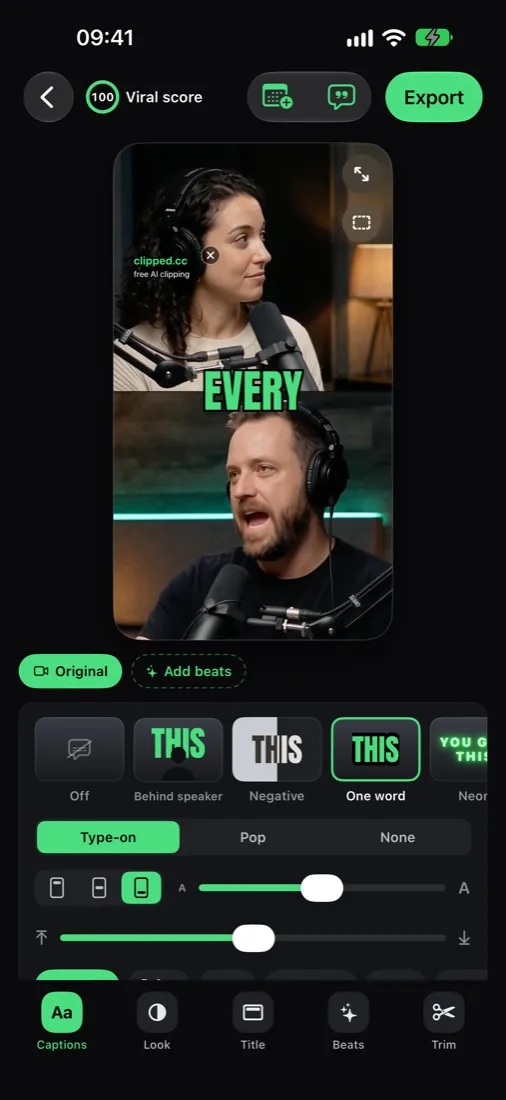
Whop clipping runs on Content Rewards: brands set a rate per 1,000 views (about $1 on most campaigns, up to $3 when we checked), you post clips, the brand approves, Whop pays on views. On iPhone, Clipped makes the clips on the device for free.
How Content Rewards works
| Setting | What it means for you |
|---|---|
| Rate | What you earn per 1,000 views. |
| Budget | Funded up front. When it is spent, earning stops. |
| Minimum payout | A clip must earn this before review (Whop's example: $6 at $3 per 1K, about 2,000 views). |
| Maximum payout | Caps what one clip can earn. |
| Flat fee | Optional bonus per approved post, if the brand turns it on. |
| Platforms | TikTok, YouTube Shorts, X, Instagram Reels (brand picks). |
Source: Whop's Content Rewards docs, October 2026.
What campaigns pay (checked October 24, 2026)
| Rate per 1K views | What we saw on the board |
|---|---|
| $0.10 to $0.80 | Low rate campaigns |
| $1 | The most common rate on the board |
| $1.25 to $2.50 | Podcasts, gaming, creator shows |
| $3 | The top rate on the board (October 24, 2026) |
Earnings math: how much clippers make.
How to pick a campaign
- Budget left. A nearly spent budget means unpaid work.
- Rate vs. effort. $1 is normal; above $2 is a good one.
- Minimum payout. Low minimums let small clips earn.
- Niche match. Clip what your account already posts.
- Clear brief. If the rules are vague, ask before you post.
The iPhone setup
- Install Clipped. Free, iOS 26, iPhone or iPad. No account.
- Join a campaign on Whop and open the brief.
- Save the source video to Photos or Files (MP4 or MOV, up to 2 hours).
- Open it in Clipped. The AI finds the moments and gives each a viral score.
- Polish. Remove pauses tightens the pacing, Edit text fixes misheard words, and Hook: best moment first opens on the strongest line. Add a title bar in Text.
- Copy the Post caption, then add the campaign's required tags.
- Export clips, post natively, submit the link on Whop.
Use App buttons preview to check that nothing important sits under the TikTok, Reels or Shorts buttons. Plan posts in the Schedule tab; Clipped reminds you at each time.
30 days to your first payout
| Week | Do this |
|---|---|
| 1 | One campaign, 3 clips a day. Ship, don't polish forever. |
| 2 | Find your top third by views. What hook, length, caption style? |
| 3 | Drop the rest. 5 clips a day in the winning style. Add a second campaign. |
| 4 | Keep volume, vary hooks, watch approvals and payouts. |
Mistakes that void payouts
- Missing required tags or mentions.
- A watermark when the brief bans them.
- Posting before the campaign starts.
- Bought or bot views.