A long video is scanned, the five best moments are cut out, and each becomes a vertical clip with a score and captions.
Try it
Edit a clip right here
This is the real editor. Change the captions, their colour or the look, and the clip updates as you go.
How it works
- 1
Upload
Drop in a podcast, stream or talk. Nothing leaves your device until you press Clip it.
- 2
AI picks the moments
Clipped reads the whole video and scores each moment by how likely it is to hook.
- 3
Tweak and post
Choose the framing, restyle the captions, set a post time, then download.
Captions
Captions that stop the scroll
9 caption styles, each in the colour you pick.
- Negative
- One word
- Neon
- Bold
- Karaoke
- Italic
- Ghost
- Accent
- Static
- Your colour
Framing
Wide shot in. Vertical out.
One wide video, framed for a phone three ways. Pick the layout per clip.
Made for posting
Captions on every clip
Your words become captions, with the key word lit up. Restyle them before you download.
Frame it your way
Auto, Split, Track or Blur, in 9:16, 1:1, 4:5 or 16:9. Auto picks per moment.
A schedule for posting
Give each clip a day and a time on TikTok, Instagram, YouTube, Facebook, X or Snapchat, and see the week in one place.
Made for
Long talk in, short clips out
Anything where people talk on camera.
- Podcasts
- YouTube videos
- Streams
- Interviews
- Talking head
- Webinars
Rather clip on your phone?
Clipped for iPhone is free and works offline. Your video never leaves the phone.
Questions
What does Clipped do?
You upload a long video, like a podcast, a stream or a talk. Clipped finds the best moments and cuts each one into a vertical 9:16 clip with captions, ready to post.
Is it free?
Yes, to start. Free gives you 60 minutes of video a month, and you do not need a card. One credit is one minute of video. Free clips carry a small watermark.
What does it cost after that?
Starter is $9.99 a month, Pro is $19.99 and Studio is $39.99, each with more minutes and no watermark. You can also buy a 100 minute pack for $4.99.
How long can my video be?
The upload box shows the exact limits for file size and length before you pick anything. MP4 and MOV work. Your file is checked on your device first, and nothing is uploaded until you press Clip it.
Can I choose how the clips are framed?
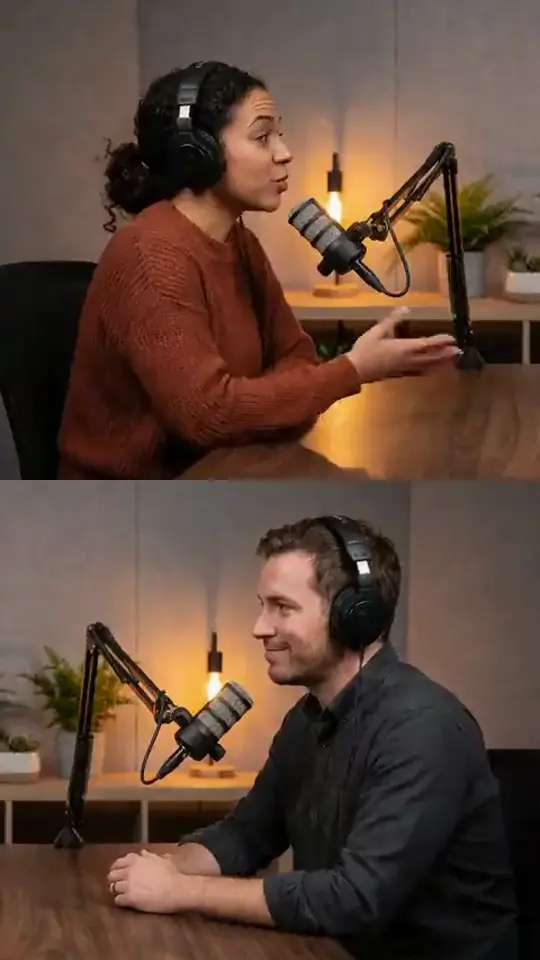
Yes. Auto picks the best framing for each moment. Split shows two people in two panes, Track follows one person, and Blur fills the sides with a blurred background.
Can I post straight from Clipped?
You can plan your posts in a schedule, so each clip has a day and a time. You download the clips and post them yourself.
Do I need the iPhone app?
No. Clipped Cloud runs in your browser. If you would rather clip on your phone, Clipped for iPhone is free, works offline and never uploads your video.
Your next clip is one upload away.
MP4, MOV, M4V, MKV or WEBM · up to 3 hours · 8 GB · 60 free minutes a month, no card